YOUR EVERYDAY AI SIDEKICK
 YOUR EVERYDAY AI SIDEKICK
Your browser.
Supercharged.
Answers, CSVs, and live data. Right on the page.
500 free credits. No card needed.

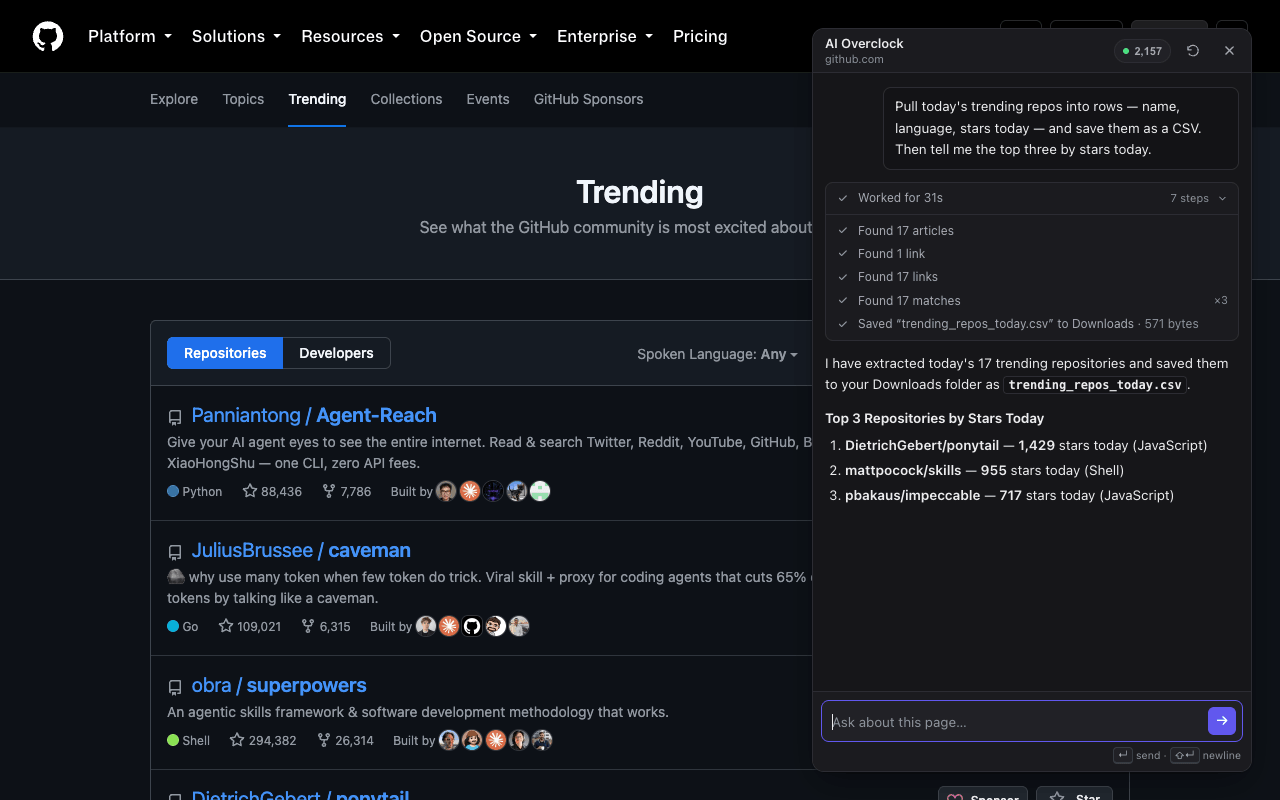
Recorded product demo
A page of repositories.
A CSV in one ask.
“Save these trending repos as a CSV with names, languages, and stars today.”
GitHub Trending
Data shown is from the recording.

LESS MANUAL WORK
Goodbye,
copy & paste.
Work with the data on the page you already use.
THREE STEPS. YOU’RE IN.
Ready. Set. Sidelight.
- 01
Add to Chrome.
Get the extension - 02
Open your sidekick.
Sign in. Open it on a regular page.
- 03
Just ask.
Tell it what you want to get done.
What can I do with it?
Ask about the page you’re on, export tables to CSV, pin live metrics, or ask the assistant to fill fields and click controls. It works with the page and your existing browser session.
Is it free to try?
Yes. Your account starts with 500 free credits, with no card required. Add prepaid credits when you need more. See pricing.
Does it work on every website?
It works on regular Chrome web pages, including many signed-in dashboards. Chrome restricts internal pages and the Web Store. What it can do depends on the site’s structure and accessible data. Live panels stop when you close them or leave the page.
What happens to my data?
Content needed for your request is sent to the model provider. Conversation history stays in your browser. We don’t sell your data or use it to train models. Read the privacy policy.
SAME BROWSER. NEW POSSIBILITIES.
Go on.
Give it superpowers.
Let’s get started 500 free credits. All yours.